


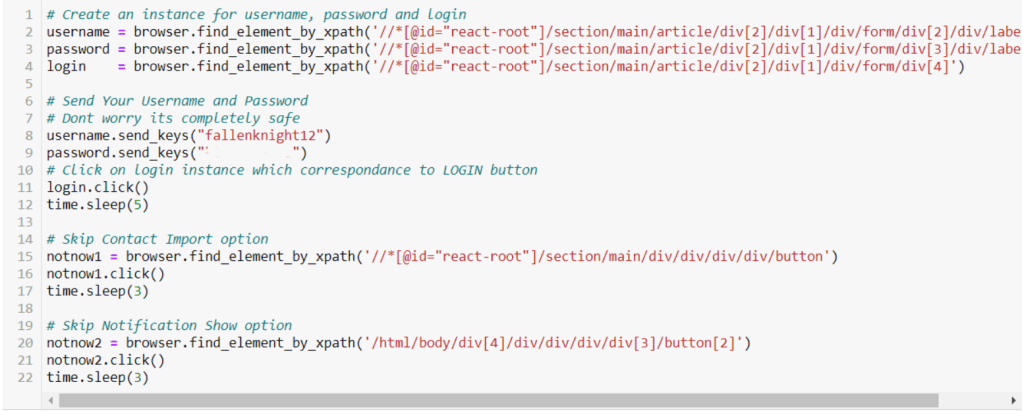




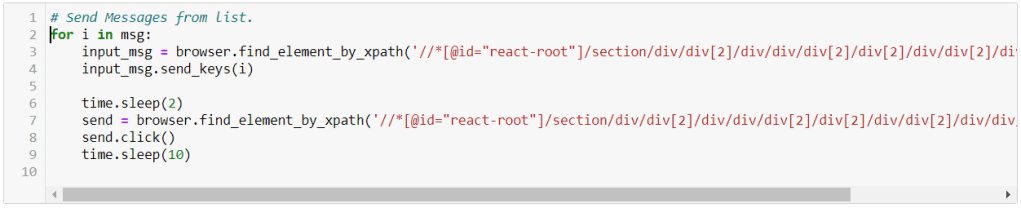
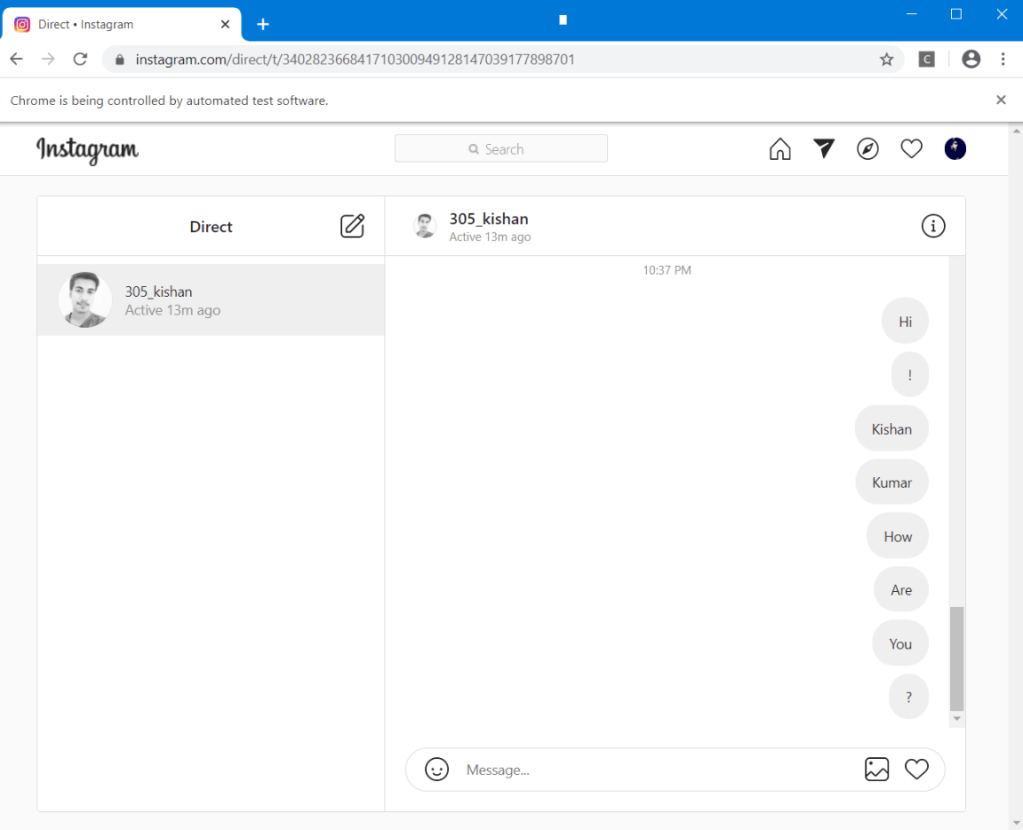
Today, we come up with the script that helps you to access your Instagram with the help of Facebook sign in option.
First you must install these:-
1) Python Bindings for Selenium ( Browser Automation software )
pip install selenium
2) Chrome webdriver
Download Chrome driver from here: Chromedriver download page( choose your specific version )
Extract it in a known location , as we need the location later.
That’s it! You are all set.
Lets dive in right away-
from selenium import webdriver
import time
browser = webdriver.Chrome(r"C:\Users\Kishan Kumar\Assignment - Bored\Whatsapp Bot\chromedriver.exe")
url = 'https://www.facebook.com/login.php?skip_api_login=1&api_key=124024574287414&kid_directed_site=0&app_id=124024574287414&signed_next=1&next=https%3A%2F%2Fwww.facebook.com%2Fdialog%2Foauth%3Fclient_id%3D124024574287414%26redirect_uri%3Dhttps%253A%252F%252Fwww.instagram.com%252Faccounts%252Fsignup%252F%26state%3D%257B%2522fbLoginKey%2522%253A%2522j77osm158eupuwdg2eu1hxtbe316znozk116qhp7gzaigbqxvcop%2522%252C%2522fbLoginReturnURL%2522%253A%2522%252F%2522%257D%26scope%3Demail%26response_type%3Dcode%252Cgranted_scopes%26locale%3Den_US%26ret%3Dlogin%26fbapp_pres%3D0%26logger_id%3D1cdf9df7-2d2a-408e-9eee-8bd1f37cc37e&cancel_url=https%3A%2F%2Fwww.instagram.com%2Faccounts%2Fsignup%2F%3Ferror%3Daccess_denied%26error_code%3D200%26error_description%3DPermissions%2Berror%26error_reason%3Duser_denied%26state%3D%257B%2522fbLoginKey%2522%253A%2522j77osm158eupuwdg2eu1hxtbe316znozk116qhp7gzaigbqxvcop%2522%252C%2522fbLoginReturnURL%2522%253A%2522%252F%2522%257D%23_%3D_&display=page&locale=en_GB&pl_dbl=0'
username1 = '305kishan'
password1 = 'testpass'
browser.get(url)
time.sleep(2)
a = browser.find_element_by_name('email').send_keys(username1)
b = browser.find_element_by_name('pass').send_keys(password1)
browser.find_element_by_name('login').click()
time.sleep(2)
browser.find_element_by_class_name("_7UhW9.xLCgt.qyrsm.h_zdq.fDxYl.T0kll ").click()
time.sleep(2)
browser.find_element_by_class_name("aOOlW.HoLwm ").click()
Comment below about your experience!
When it comes to browser automation, this is just the tip of the iceberg. Will write more articles on browser automation to give you a glimpse of its power!
Here is the definition of Selenium given by their official website:
Selenium automates browsers.
The goal of this article is to give you an overview of the possibilities given by Selenium, so I won’t be able to show you how to code every action possible by our bot on Instagram, but with the knowledge you’ll acquire reading this article, you will be able to add the missing functionalities on your own. For now, our bot should be capable of the following action
-Open Instagram.
-Sign in.
from selenium import webdriver
# For using sleep function because selenium
# works only when the all the elemets of the
# page is loaded.
import time
browser = webdriver.Chrome("C:\Program Files (x86)\Google\Chrome\chromedriver.exe")

url = "https://www.instagram.com/"
username ="305kishan" #Enter your id
password="test"  #Enter your password
browser.get(url) #this will open Instagram homepage in chrome
time.sleep(3)

browser.find_element_by_xpath("//a[@class='_l8p4s'][2]").click()
time.sleep(3)

a = browser.find_element_by_xpath("//div[@class='_t296e'][1]/div[1]/input[1]")
a.send_keys(username) #For entering username

b = browser.find_element_by_xpath("//div[@class='_t296e'][2]/div[1]/input[1]")
b.send_keys(password) # For entering password
For more on how to locate html elements visit the selenium documentation.
How useful this article was
⭐⭐⭐⭐⭐
Rating: 5 out of 5.
WHAT IS SELENIUM ?
Selenium is a portable framework for testing web applications. Selenium provides a playback tool for authoring functional tests without the need to learn a test scripting language (Selenium IDE).
Selenium Client API
As an alternative to writing tests in Selenese, tests can also be written in various programming languages. These tests then communicate with Selenium by calling methods in the Selenium Client API. Selenium currently provides client APIs for Java, C#, Ruby, JavaScript, R and Python.
1. Downloading Python bindings for Selenium
Use pip to install the selenium package. Using pip, you can install selenium like this:
pip install selenium
2. Drivers
Selenium requires a driver to interface with the chosen browser. Supported browsers will have their own drivers available. Links to some of the more popular browser drivers follow :
3. Simple Selenium Program
Now you’re all set to start working with Selenium. The first thing you’ll need to do is start the browser:
from selenium import webdriver

EXE_PATH = r'path\to\chromedriver.exe'
driver = webdriver.Chrome(executable_path=EXE_PATH)
driver.get('https://google.com')
Running this will open Google Chrome and navigate it to https://google.com.
4.Conclusion
Selenium is one of the widely used tools used for Web Browser Automation, and offers a lot of functionality and power over a human-controlled browser.
It’s mainly used for production or integration environment testing/automatization, though it can also be used as a web scraper for research purposes.
How useful this article was :
⭐
Rating: 1 out of 5.
 Geeks & Nerds